





Never miss what matters
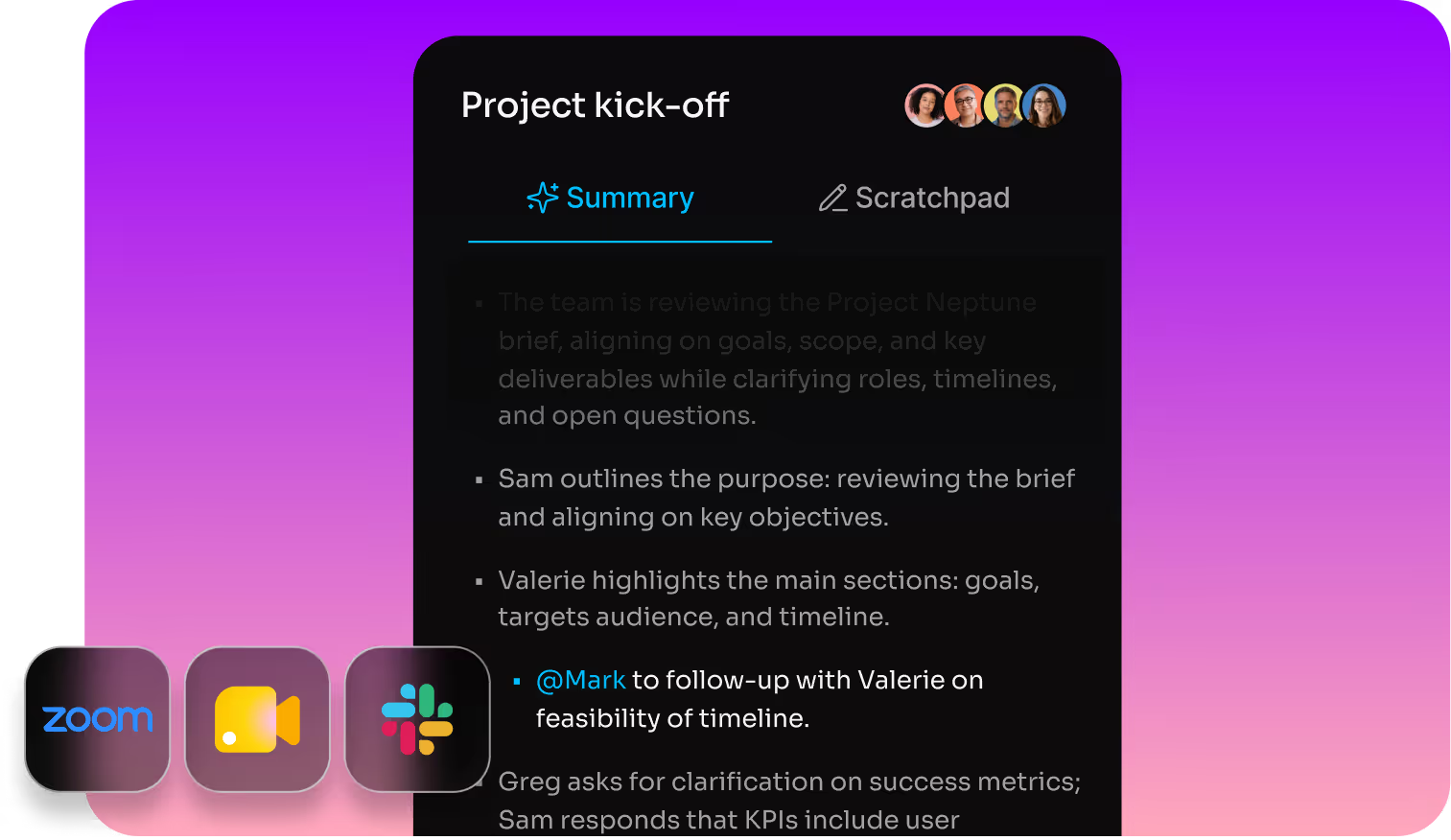
Instant AI summaries in your favorite meeting platform
Coverage before, during, and after every call. Stay on track with live summaries. The moment your meeting ends, a full recap arrives, action items included, so work keeps moving while everything is still fresh.
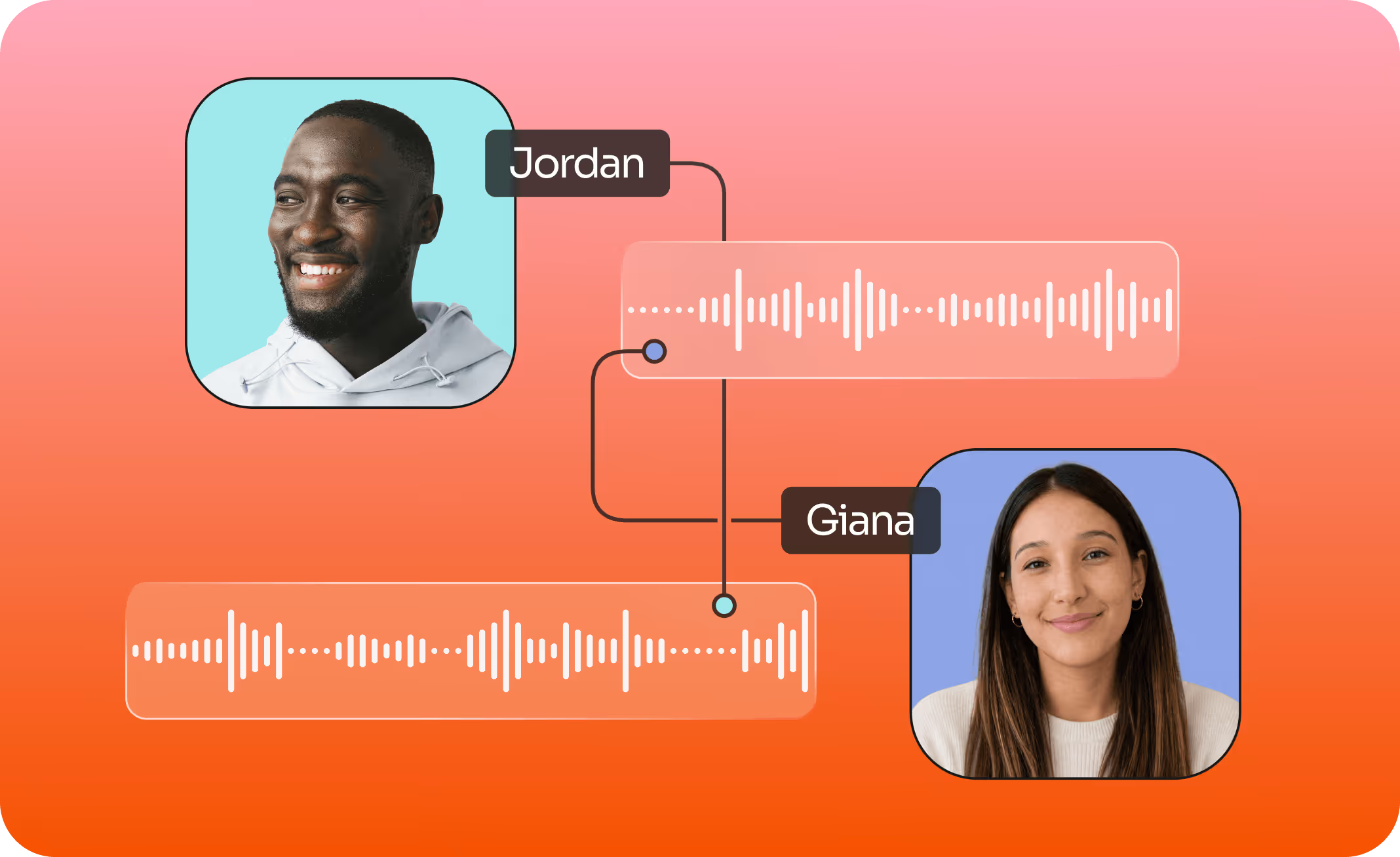
Transcription built for real conversations
Multiple speakers, accents, cross-talk, languages, and side conversations – Fathom’s got it covered. With accurate speaker attribution, even in bot-free recordings, you never lose the thread.
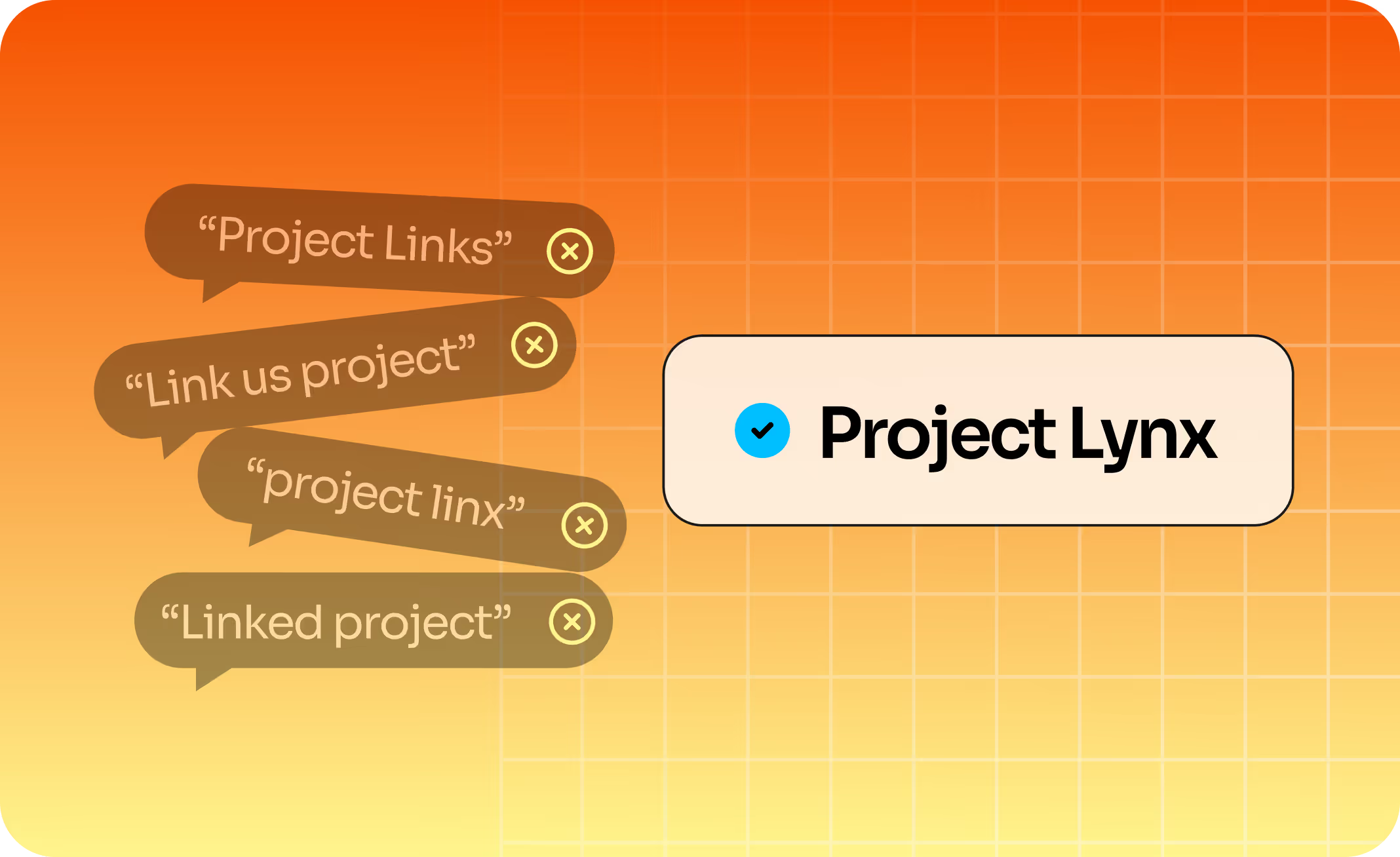
Acronym city? No problem.
Create custom dictionaries so Fathom learns to speak your company’s language for accurate transcription customized to your lingo.
Capture on your terms
Bot or bot-free: that’s your call. Fathom offers three ways to capture conversations, all with speaker attribution, action items, and the accuracy you expect from Fathom.
Transcript-only
BOT-FREE
No bot. Just a clean transcript, AI summary, and action items. Perfect for sensitive conversations or when a bot isn't welcome.
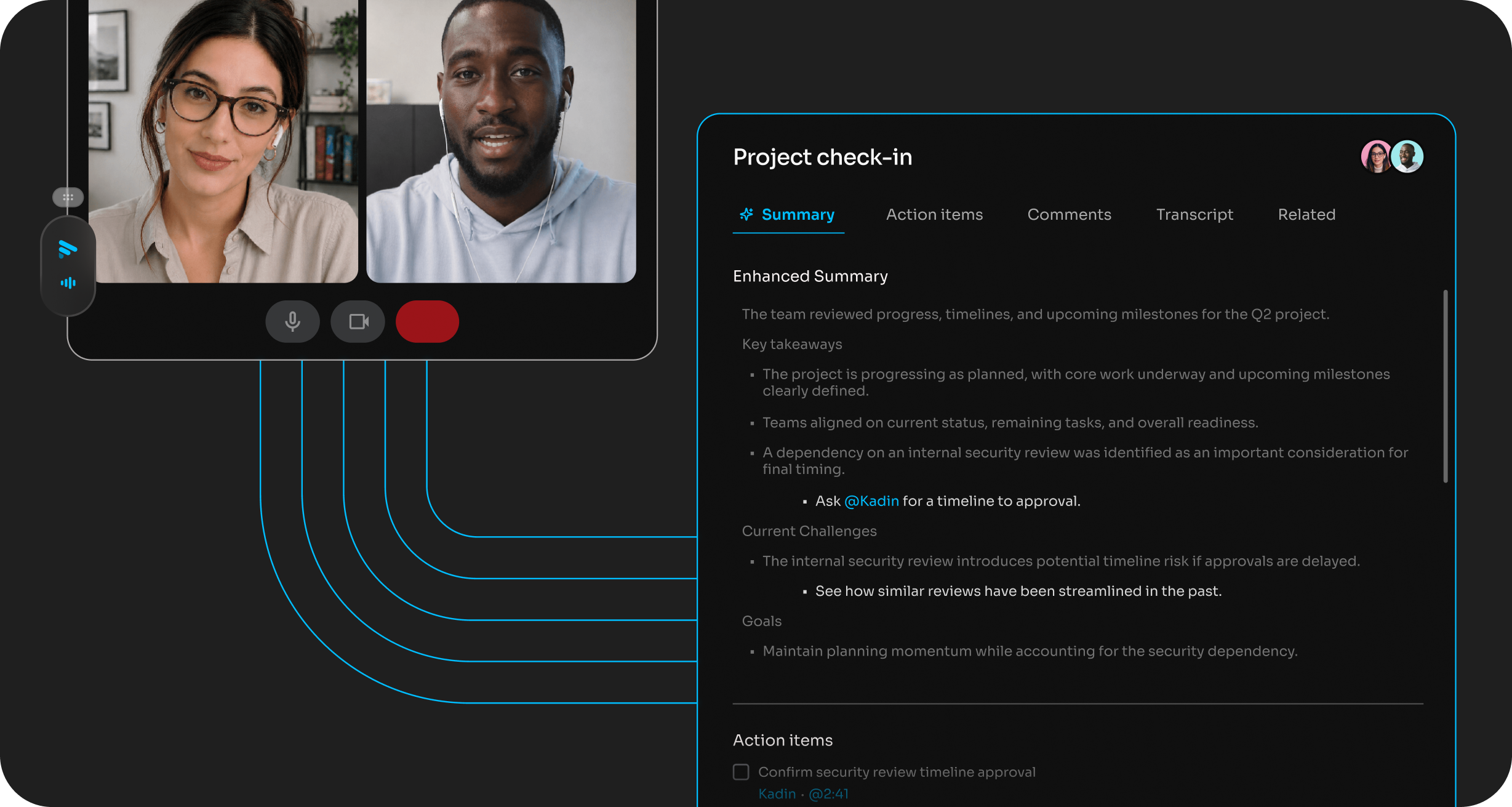
Audio + transcript
BOT-FREE
Bot-free audio capture with a transcript and summary – high accuracy, low footprint.
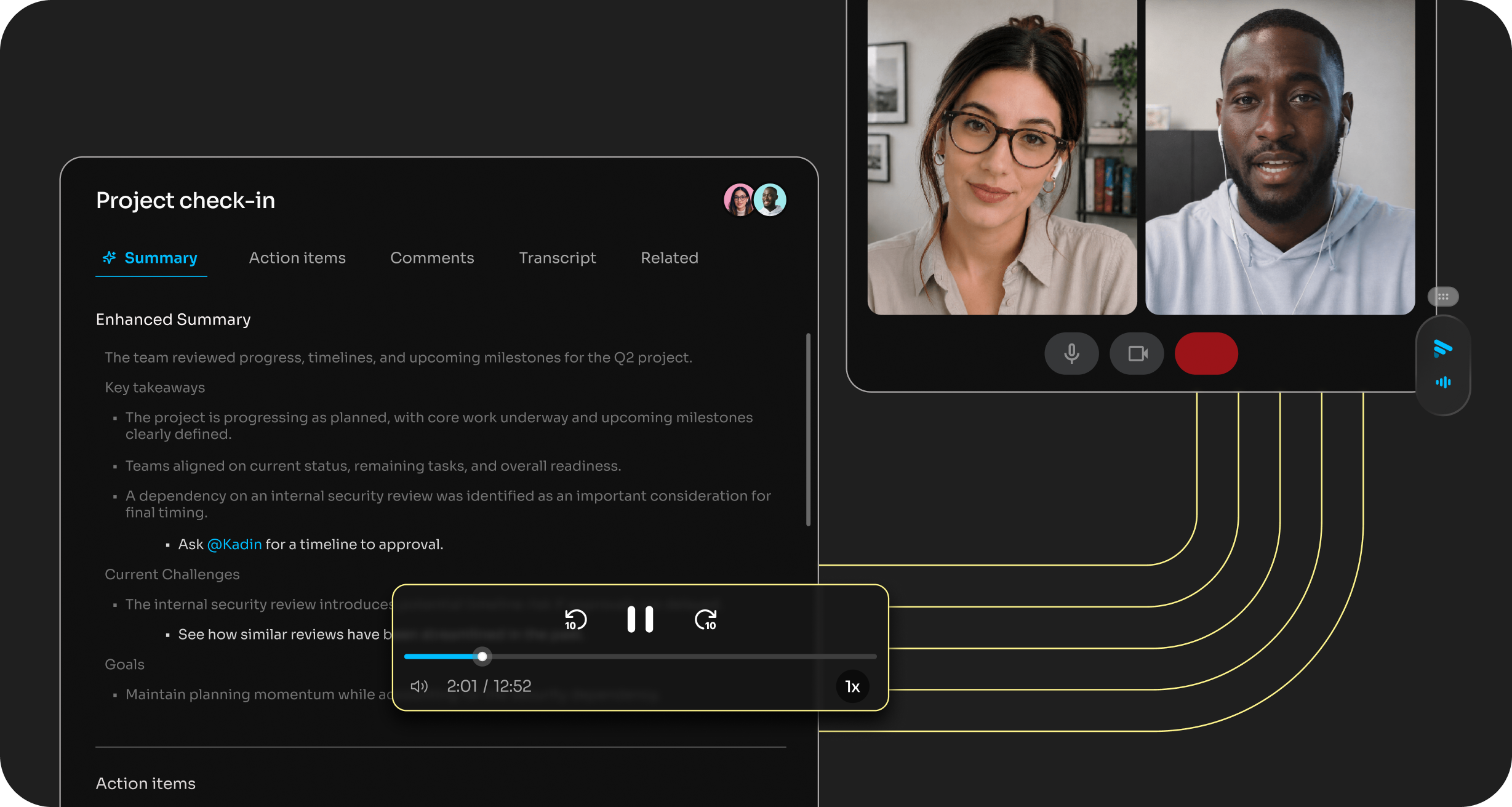
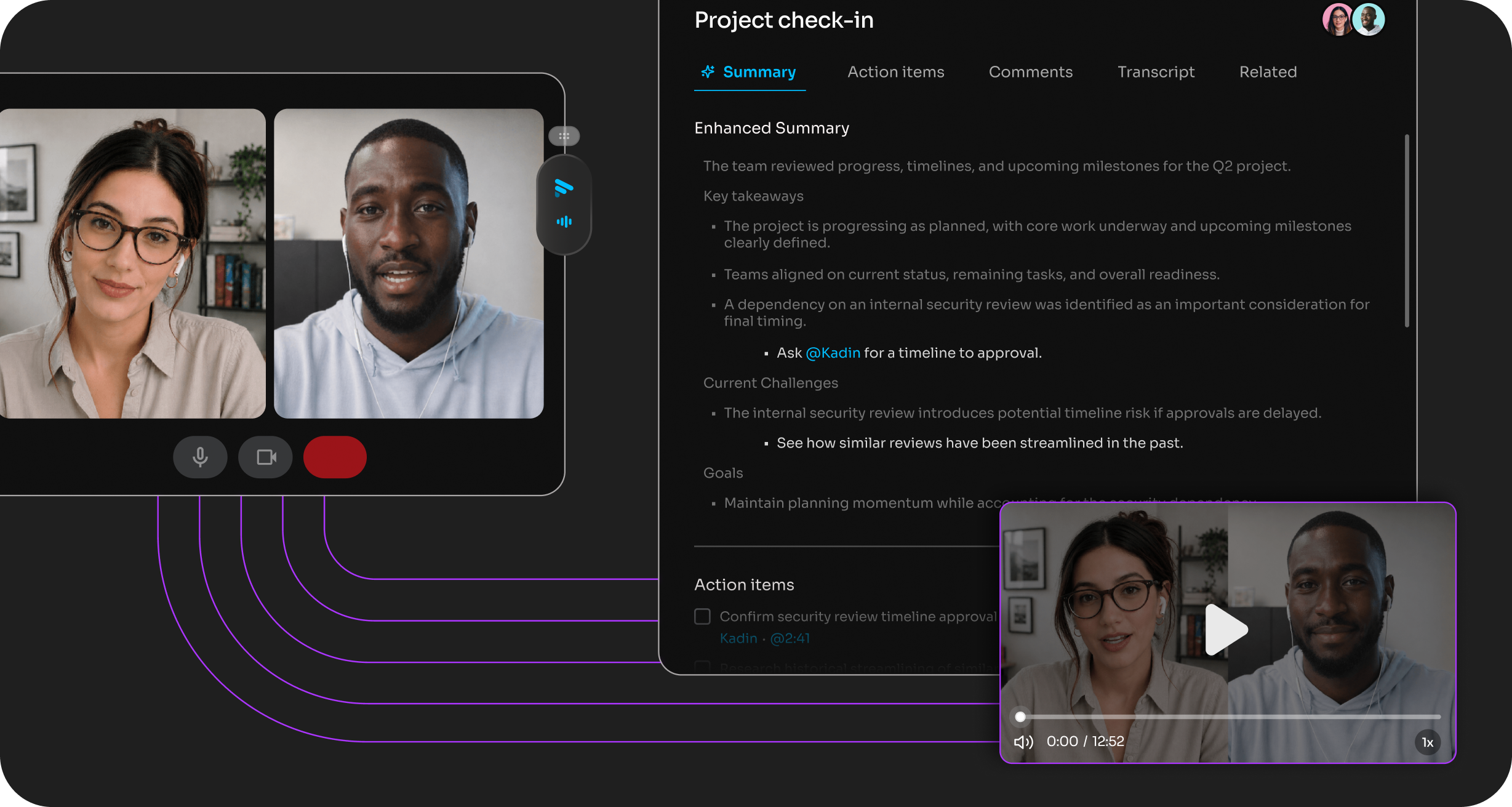
Full audio + video
The complete record, including screen capture – ideal for coaching, reviewing presentations, and anything you'll want to rewatch.
Stay fully present in every meeting
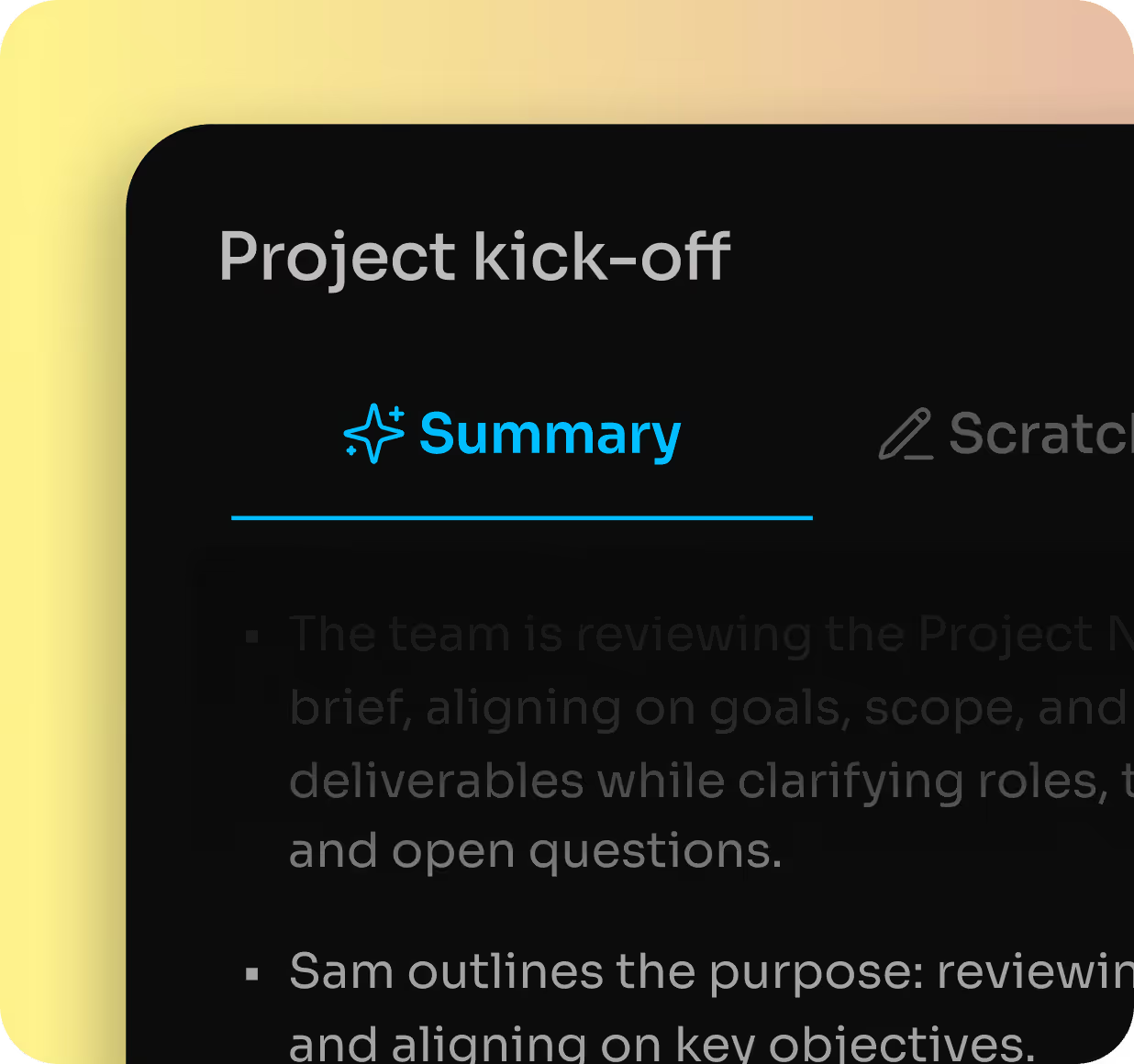
Distraction happens. Live summaries update as you talk, so when you lose the thread, you can quickly catch up without missing a beat.
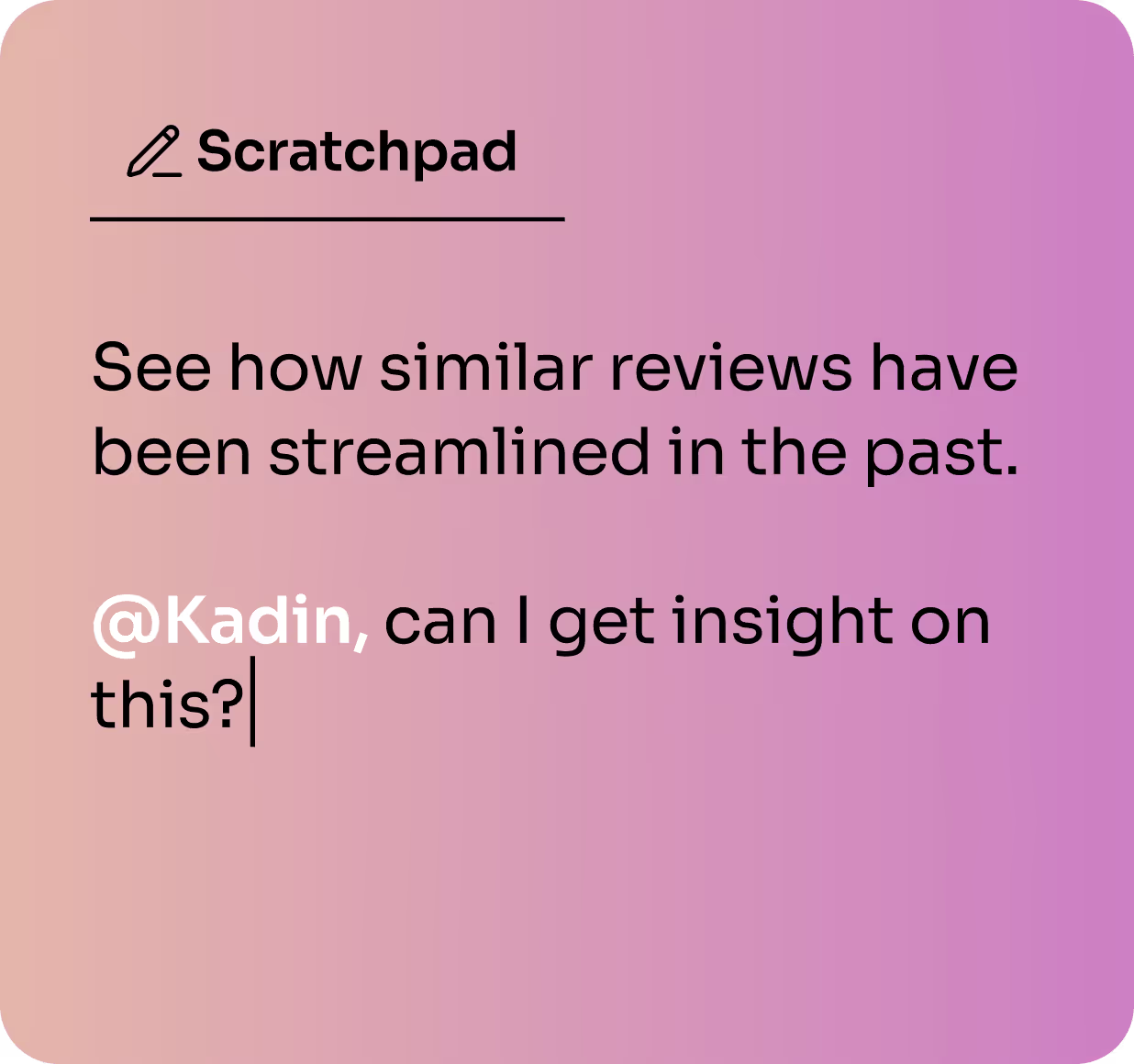
A private scratchpad for notes, ideas, and reminders. Keep notes private, or tag teammates so collaboration starts during the meeting, not after it.
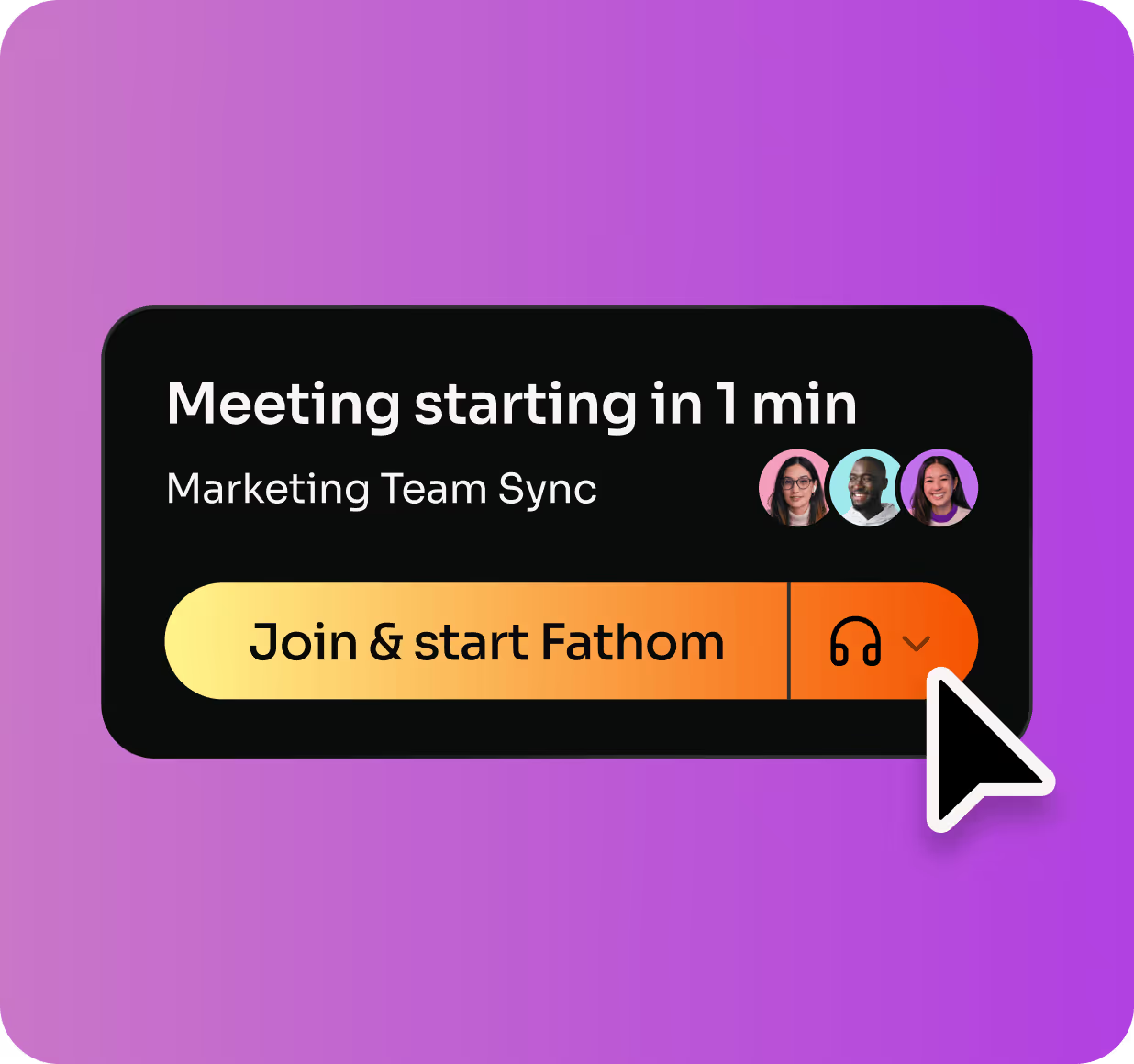
A dedicated desktop app that keeps you ahead of your day - meeting alerts, one-click joining, and instant access to everything Fathom, no browser tab required.
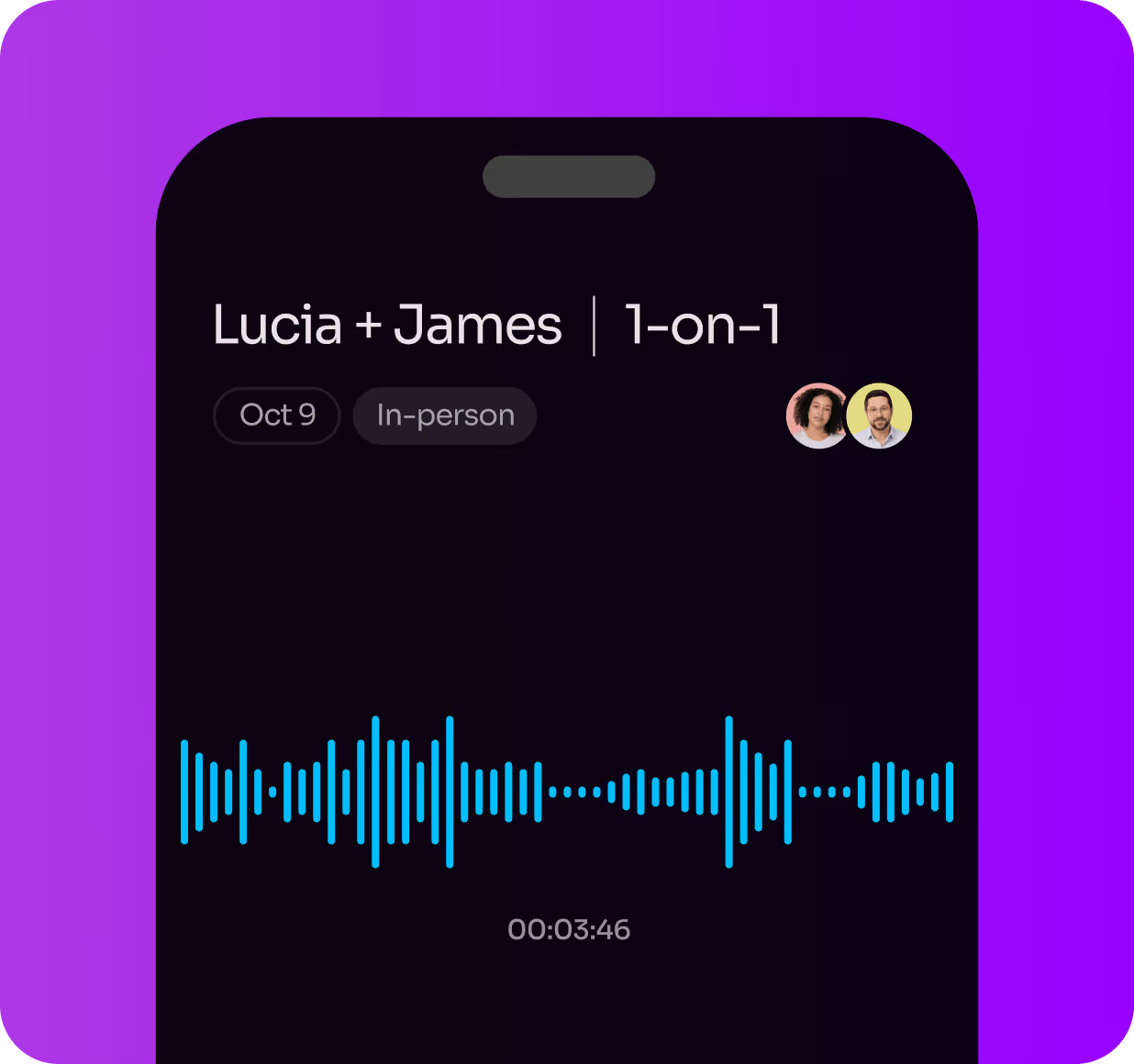
Capture in-person meetings and review summaries, notes, and insights on the go - all from the Fathom iOS app.

Turn every meeting into answers
Your team already had the conversation – Fathom makes it easy to find exactly what was said. Ask Fathom across every team call and get insights with the context, proof, and next steps you need.

Search across your entire account to instantly uncover decisions, feedback, objections, and competitor mentions regardless of which team ran the call.

Create reusable prompts for Sales, CS, Product, and Ops, then turn common questions into shared collections your whole team can use.

Uncover trends across conversations before they become problems – from repeated objections to feature requests to follow-up gaps.

Get answers and insights you can trust with citations that link to the exact moment in every transcript. No guessing, no digging.
Works everywhere you already work


New!
Power your AI stack with meeting context
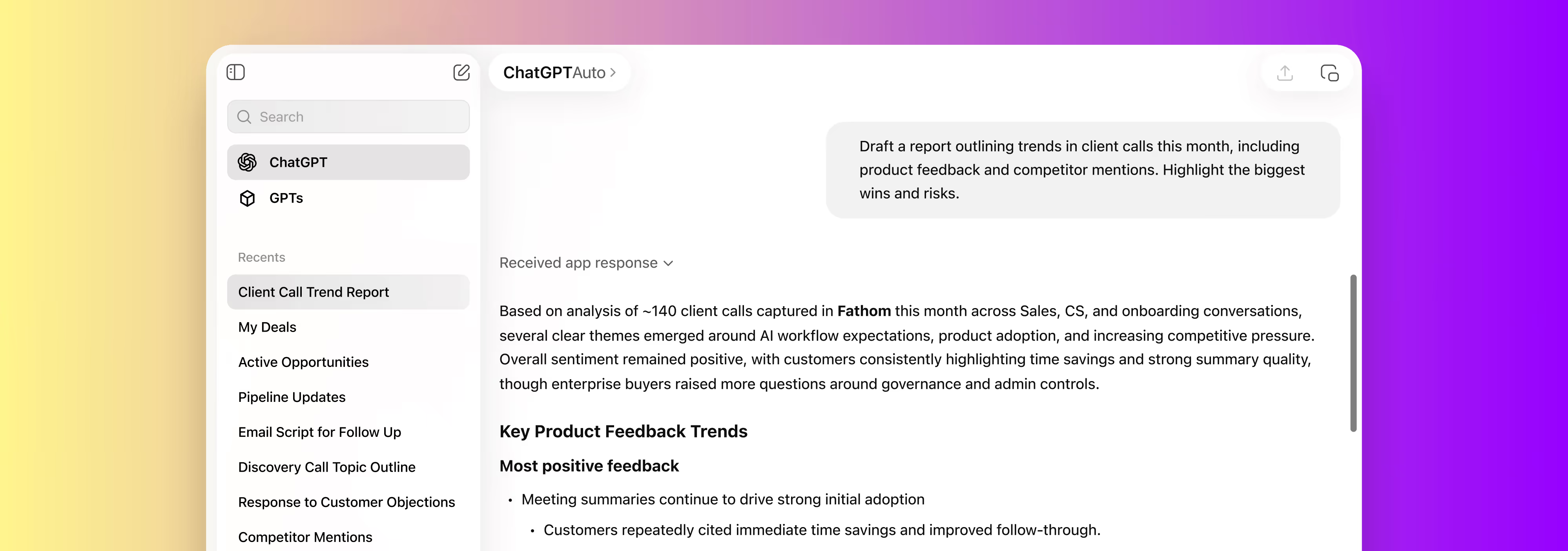
Better outputs start with better context. With turnkey integrations for Claude and ChatGPT, plus a public API and MCP support, your meeting intelligence goes into the tools where you already think and work.

.svg)
.svg)
.svg)
Make your AI tools smarter with Fathom
Draft recap emails, QBRs, and mutual action plans from your last call – right inside Claude or ChatGPT.
Build custom agents and pipelines on top of Fathom's high-quality transcripts and summaries.
Connect meeting data to CRMs, task managers, and internal tools without the copy-paste.
Testimonials
Don’t just take it from us
"The Perfect (and super smart) Notetaker" 5/5
Post-meeting action items are gold. The "Ask Fathom" feature is also amazing. Asking questions such as "What were the top three reasons Michael would not want to move forward with my solution?" is fantastic.
Chris W. Sr.
Solutions Consultant

"Can’t live without Fathom anymore" 5/5
It’s such a nice experience to not worry about missing important notes or to do’s during calls I’m also a big fan of using fathom to transcribe sales calls, so I can gather valuable insights about my ideal clients. I recommend Fathom to all my friends and clients!
Luke
Owner
"A game changer for Sales Meetings" 5/5
A real game changer for meetings. You can be focused in the meeting itself instead of taking notes or trying to remember tasks and topics after the call. Recap, summaries, highlights, recording, stats... that's a bunch of features that make everything easy and profitable for your business!
Eduardo K.
Country Sales Manager for Spain
"By far, the best tool for sales enhancement." 5/5
Customer support quality, a very good tool to get your recordings analyzed using AI and the easy way to set it up. I use every 3 times a day in my sales meetings and definetely it has increased the way we analyze our meetings. Very easy to integrate with the major players in the remote meetings industry.
Elkin D. G.
Founder & CTO
"The ULTIMATE Meeting Support Tool!" 5/5
Fathom is freaking awesome! I must admit I was skeptical and always relied on just Zoom recordings for post meeting reviews. However when I finally setup Fathom I was blown away by how awesome it is.
- Super convenient to share recording links
- Easy to get a clear and actionable meeting summary!
- Makes recording effortless (don't have to think about it)
- It has significantly improved our sales call hand off from staff to staff
Tom W.
CEO/Founder
"I didn’t know I needed this. Now I can’t imagine work without it" 5/5
Fathom has completely changed the way I handle meetings. I can now stay fully focused on the conversation instead of trying to take perfect notes. It somehow manages to capture all the small, important details that I’d usually miss, and those often make the biggest difference.
George G.
Partner
"Fathom.ai is a game changer for sales leaders and their teams!" 5/5
Fathom has been transformative for my team from a productivity and data integrity perspective. The integration with Google Meet and Hubspot have made our forecast calls much more direct and accurate. As a result the communication between the sales team and leadership has improved tremendously, giving us better clarity on what's in our pipeline. I wouldn't run a sales organization without Fathom.ai ever again!
Derek B.
Vice President, Sales
"Accelerated my intake sales calls by 1000%" 5/5
Non-intrusive Call Recording.
AI resumes at the end of the call.
Possibility to share with other sales colleagues.
Ability to mark certain portions of the calls to teach the AI and separate conversation threads.
Ability to prompt AI later and get summaries or have AI select which services of our large portfolio we offer.
One day implementation.
All our CuSsat calls were answered fast.
We use it daily.
Alejandro G.
Founder
"Fathom has been a lifesaver!" 5/5
I use Fathom for all my calls. Lately the use case I'm most excited about is recording sales calls and product training calls. From there, I can ask Fathom AI questions. But tbh, more frequently I download the transcript and upload it to ChatGPT. From there, I ask questions like "What are the biggest points with our competitors?" or "What are the most common use cases for our product?" I'm not the most advanced Fathom user yet, but after a month, I'm loving it! Also, customer support is incredible!!
Pamela H.
Co-Founder, CRO
Fathom Turns Conversations into Strategic Sales Intelligence—Automatically. 5/5
Fathom eliminates the administrative drag of note-taking by auto-capturing, summarizing, and tagging every conversation with pinpoint accuracy. As an AI Sales Performance Consultant, I find it invaluable for instantly extracting actionable insights from discovery, qualification, and pipeline meetings. It seamlessly integrates with CRM platforms, enabling sellers and sales leaders to focus on strategy and execution instead of data entry or memory recall.
Stephen C.
Managing Partner
FAQs
Questions? We’ve got you covered.
Does Fathom record video?
Yes. The Fathom Notetaker joins your Zoom, Google Meet, or Microsoft Teams call and captures full video, audio, and a searchable transcript.
Does Fathom offer bot-free capture?
Yes. On Mac, Fathom captures meetings without a bot in the call, including full video, along with audio-plus-transcript and transcript-only options. Speaker attribution and mute acknowledgement carry over to bot-free capture too, so switching modes doesn't cost you accuracy. Windows support is on the way.
Can Fathom record phone calls?
No. Fathom captures meetings on Zoom, Google Meet, Microsoft Teams, and Slack Huddles, not phone calls. If phone-call capture is part of your workflow, Fathom isn't built for that today.
Does Fathom have a mobile app?
An iOS app is on the way, designed to capture meetings, catch up on context, and keep work moving on the go. Whether you meet virtually or in person, everything stays in one place. It won't record phone calls, and it's still in development.
Can the Fathom Notetaker join meetings without me?
Yes. Once your calendar is connected, Fathom's Notetaker bot joins your Zoom, Google Meet, or Microsoft Teams calls automatically, based on your team's recording rules, so nothing depends on you starting it manually.
Does Fathom provide real-time transcription?
Yes. Fathom's live summary follows the conversation as it happens, so you can catch up on what's already been said without waiting for the call to end.
What languages does Fathom support?
Fathom transcribes and summarizes meetings natively in seven languages: English, Spanish, Dutch, French, Italian, German, and Portuguese (Premium and Team plans). Ask Fathom can also translate into 29 additional languages, including Japanese, Korean, Arabic, and Russian.
Is Fathom free? How much does Fathom cost?
Fathom's Free plan is completely free, no per-seat cost: unlimited recordings, transcription, AI summaries, clips, playlists, and search across your calls, plus your choice of bot or bot-free capture. Paid plans start at $15 per user per month (Team, billed monthly) for teams that want features like Trackers, Scorecards, and CRM sync, with a 90-day money-back guarantee on every paid plan.
Is Fathom secure?
Yes. Fathom is SOC 2 Type II audited, HIPAA compliant, and GDPR-aligned, with SSO and SCIM available on team plans.
Save 38 minutes per meeting¹
Free forever plan. Up and running in minutes. See plans for teams of every size →


¹ Source: In a Q4 2025 Fathom user survey, on average, users reported saving 38 minutes per meeting.